Custom web and mobile applications
Operational platforms, customer and staff portals, SaaS products, mobile apps, APIs, integrations, and workflow systems designed for how people actually work.
Explore application development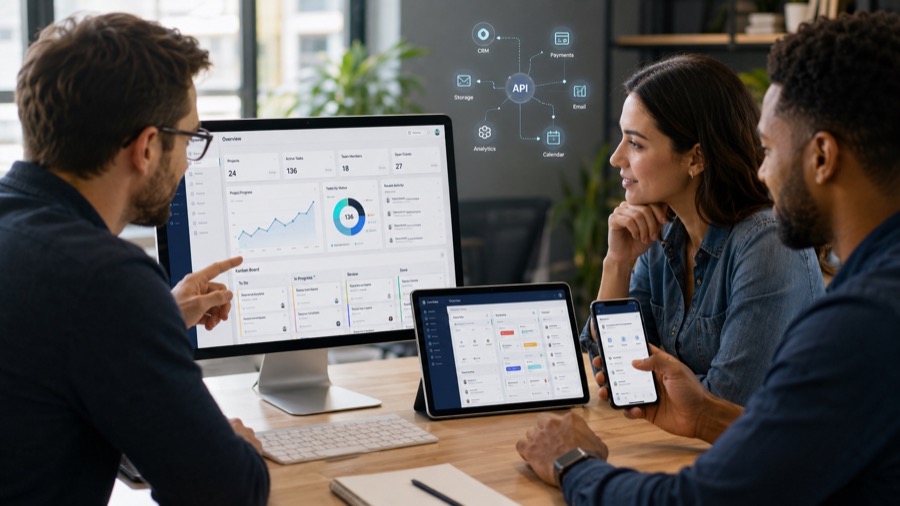
BuildMint Software
BuildMint Software designs and develops web applications, mobile apps, AI-powered workflows, and business automation for organizations that have outgrown manual processes and disconnected tools.
Problems we solve
BuildMint turns spreadsheet-heavy processes, disconnected applications, repetitive administration, and early product ideas into focused systems that are easier to use and maintain.
Core services
From a first working release to the modernization of an established system, each engagement starts with the workflow and the outcome—not a predetermined technology.
Operational platforms, customer and staff portals, SaaS products, mobile apps, APIs, integrations, and workflow systems designed for how people actually work.
Explore application developmentTask-focused agents, retrieval-augmented generation, vector search, LLM integrations, document workflows, and business process automation with clear human oversight.
Explore AI and automation
Senior-led engineering from the Philippines for a defined build, an MVP, or additional delivery capacity—including solutions using LangChain, LangGraph, and MCP tooling when they fit the requirement.
Explore engineering support
Who we help
BuildMint works with established businesses, founders, and product teams that need to replace a manual process, create a customer-facing product, or add focused engineering capacity.
Products by BuildMint
Our products solve recurring operational and marketing workflows while demonstrating the same product engineering capability available to clients.
 Live · Free plan
Virtual queue management
Help customers follow their place by QR code or secure public link while staff manage daily queues from a focused dashboard.
Chrome extension
Organize recurring Facebook page-to-group campaigns with saved groups, schedules, pacing, and cooldown controls.
$9.99 one-time Lifetime ZIP purchase
View Facebook Auto PosterDelivery approach
Every engagement starts by understanding the problem. Technology is selected only after the business requirements and expected outcomes are clear.

Understand the business, users, workflows, constraints, and desired outcomes.
Turn requirements into a practical scope, technical direction, and delivery plan.
Develop and demonstrate the product through clear, manageable milestones.
Release, gather feedback, monitor outcomes, and keep improving where it creates value.
Why BuildMint
Experienced technical ownership from discovery through implementation.
Features and technologies are evaluated according to the value they create.
Software is designed for continued development, not only the first release.
Work can be structured around a complete project, an MVP, or additional engineering capacity.
Founder-led
BuildMint Software is led by a founding product engineer with more than 13 years of experience developing business platforms, web applications, cloud systems, APIs, and digital products.
That experience shapes a practical approach: understand the problem, define a manageable scope, build responsibly, and keep the software ready to evolve.
Learn about BuildMintStart a conversation
Share the current process, where it slows people down, and what you want to improve. BuildMint can help determine whether custom software, AI, automation, or a simpler solution is the right next step.