
Facebook Group Posting for Coaches and Consultants
Facebook group posting for coaches and consultants should feel helpful before it feels promotional. Start with useful Page posts, choose groups where the topic matches the audience, and schedule only what you can monitor responsibly.
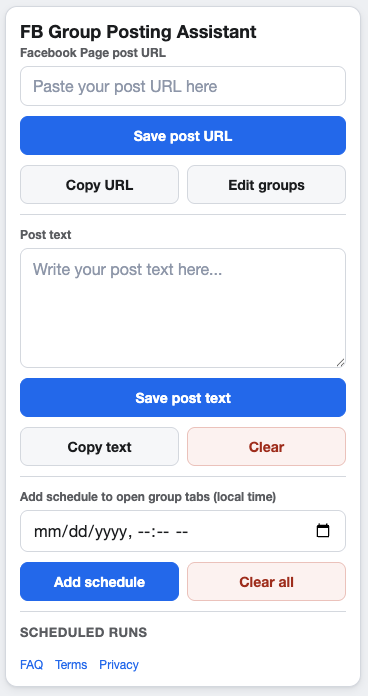
Helpful context makes coaching and consulting posts easier to trust.
Choose posts that answer a real question
Useful campaign sources might include a short guide, workshop announcement, free resource, service update, or Page post that explains a common problem. Make sure the post is specific enough that a group member can understand why it belongs there.
Match groups by problem, not just topic
A coach or consultant may be tempted to save every group that mentions their niche. A stronger workflow looks for groups where the audience is likely to have the exact problem the Page post addresses.
- Check group rules for promotional and educational content.
- Save notes on audience fit and allowed posting formats.
- Segment groups by offer type, topic, or stage of awareness.
- Remove groups where your post would need too much explanation.
Write supporting text that sets context
Keep the message plain. Say who the post is for, what problem it helps with, and why you are sharing it in that group. Avoid urgent or exaggerated phrasing, especially in communities built around peer advice.
Schedule around follow-up
Coaching and consulting posts often lead to questions. Choose schedule windows when you can return to the groups, check feedback, and respond appropriately. The posting frequency guide can help you choose a sustainable rhythm.
FAQ
Should coaches post sales offers to every group?
No. Many groups restrict promotional posts. Review group rules and prioritize useful, relevant content.
Can I reuse the same Page post in several groups?
Yes, when the post is relevant to each group. Add supporting context where needed and avoid forcing the same message into weak-fit communities.
Plan cleaner coaching and consulting campaigns
GetBuildMint helps you save campaigns, choose relevant groups, add schedules, and control pacing for Page-to-group workflows.