
Facebook Group Posting for Local Businesses: A Practical Workflow
Facebook group posting for local businesses works best when it is specific, respectful, and easy to maintain. Start with groups where your offer is genuinely relevant, then use a repeatable campaign workflow so local updates do not become a daily scramble.
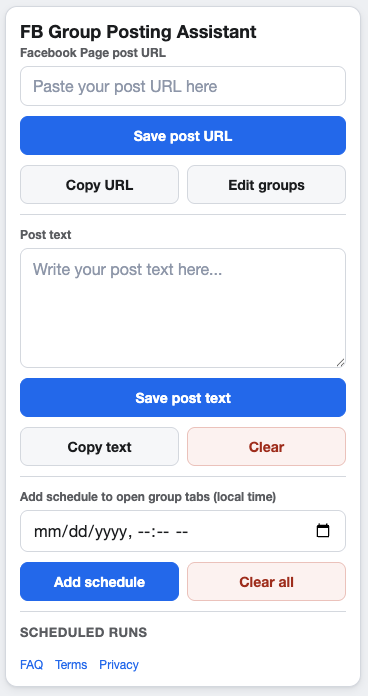
Local campaigns need relevance before reach.
Choose local groups with intent
Look for groups where your business topic, location, and post type fit the rules. A local restaurant, clinic, shop, or service provider should not treat every nearby group as the same audience.
Campaign ideas for local businesses
Service availability
Share a Page post when appointment slots, booking windows, or seasonal services change.
Local events
Use a campaign for open houses, demos, community events, or limited-time local announcements.
Helpful reminders
Turn practical reminders into Page posts, then share them to relevant groups with clear local context.
Build a weekly local posting workflow
- Create the Facebook Page post first.
- Select only groups where the update fits.
- Add a short local context sentence.
- Schedule one or more sensible local-time windows.
- Review replies and remove groups that are a poor fit.
Respect group rules and posting limits
Local groups are often closely moderated. Follow Meta’s current policies, group-specific rules, and any posting limits. If a group does not allow business posts, leave it out of the campaign.
FAQ
Should local businesses post to every nearby group?
No. A smaller list of relevant groups is usually easier to manage and less likely to create friction.
What should local supporting text include?
Include the location, practical reason for sharing, and a simple next step when those details help the group.
Run local group campaigns from Chrome
GetBuildMint helps local businesses save group URLs, create campaigns, schedule Page post sharing, and manage pacing in a focused Chrome workflow.