
Facebook Group Posting Mistakes to Avoid Before You Schedule
The biggest Facebook group posting mistakes usually happen before a campaign starts. A weak group list, unclear message, rushed schedule, or missing review step can turn a useful workflow into repetitive noise. Fix those issues before you add schedules.
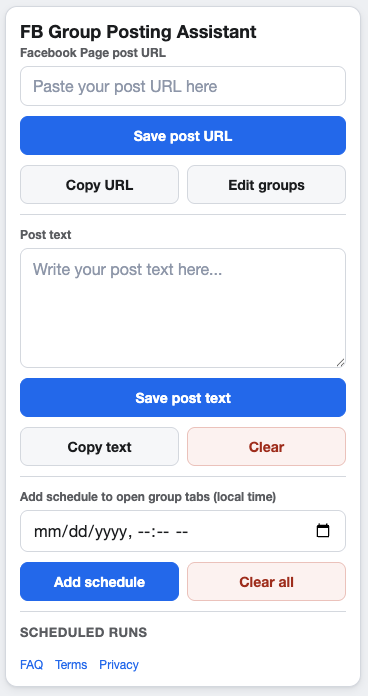
Better campaign hygiene starts before the first group tab opens.
Mistake 1: Posting to groups that are not a good fit
Relevance is the first filter. Before a campaign runs, review each group’s topic, rules, location, and audience. Remove any group where the post would feel out of place, even if the group allows promotional content.
Mistake 2: Treating every group the same
A single Facebook Page post can be the source asset, but the supporting text should still match the group context. Local groups, niche interest groups, and buyer-focused groups often need different framing.
Simple fix
Segment saved groups by use case, geography, or audience. Then create campaigns around those segments instead of sending every post to every saved group.
Mistake 3: Scheduling without spacing
Rushing through groups makes campaigns harder to monitor and easier to mismanage. Use pacing and cooldowns so the workflow has room to breathe. Also check Meta’s current policies and each group’s posting rules before deciding on frequency.
Mistake 4: Skipping the final preview
Open the Page post URL, read the supporting message, and confirm the selected groups before the campaign starts. A quick preview catches broken links, outdated offers, wrong images, and messages that need clearer context.
FAQ
Is automation the problem?
Automation is only useful when the underlying workflow is responsible and relevant. The problem is usually a poor campaign setup, not the idea of scheduling itself.
How often should I review my group list?
Review it before every campaign and do a deeper cleanup whenever group rules, audience fit, or campaign goals change.
Build cleaner group posting campaigns
GetBuildMint helps you organize saved groups, campaigns, schedules, pacing, and cooldowns from one focused Chrome extension.