
Facebook Group Posting Schedule Template for Weekly Campaigns
A Facebook group posting schedule template helps you turn a loose promotion idea into a repeatable weekly workflow. The goal is not to post everywhere at once. It is to match each campaign with the right groups, timing windows, pacing, and review habits.
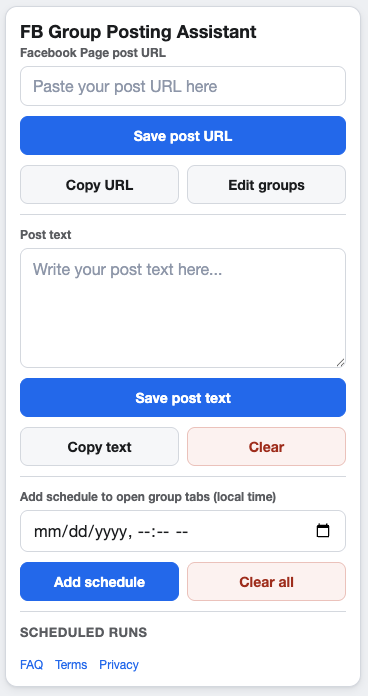
A simple schedule is easier to run, review, and improve each week.
Start with one weekly campaign
Choose one Facebook Page post as the source for the week. That source post should already include the main offer, update, image, or link you want people to see. Then write a short supporting message for groups where extra context is helpful.
This keeps the campaign easier to audit. If a group admin asks what was shared, or a teammate needs to review the campaign, there is one source asset instead of scattered one-off posts.
A practical Facebook group posting schedule template
Monday: Prepare the campaign
Confirm the Page post URL, supporting text, approved group list, and campaign goal. Remove groups that are not relevant before scheduling anything.
Tuesday to Thursday: Run selected posting windows
Use local-time windows that fit your audience and your team’s ability to monitor replies. Keep enough space between runs so you can review what happened before the next window begins.
Friday: Review and clean up
Check whether the group list still makes sense. Note which groups need different context, which groups should be paused, and which campaign message needs improvement next time.
What to include in each schedule entry
- Campaign name and Facebook Page post URL.
- Selected groups for that campaign.
- Local-time posting window.
- Minimum and maximum delay between group actions.
- Run cooldown and group cooldown settings.
- Review notes after the campaign runs.
Keep the template policy-aware
Every schedule should respect Meta’s current platform policies, each group’s rules, and applicable posting limits. A good template should help you be more organized, not push you toward irrelevant or excessive posting.
FAQ
Should every campaign use the same schedule?
No. Reuse the structure, but adjust timing, group selection, and frequency based on campaign relevance.
How does this differ from a content calendar?
A content calendar plans topics. A posting schedule turns one approved topic into specific group actions and review steps.
Turn your schedule template into a campaign
GetBuildMint lets you save campaigns, select groups, add local-time schedules, and control pacing from your Chrome browser.