
Facebook Group Auto Posting Not Working? Troubleshooting Checklist
When Facebook group auto posting is not working, start with the simple checks: browser status, Facebook login, valid group URLs, campaign settings, schedules, and cooldowns. Most workflow issues are easier to isolate when you test one layer at a time.
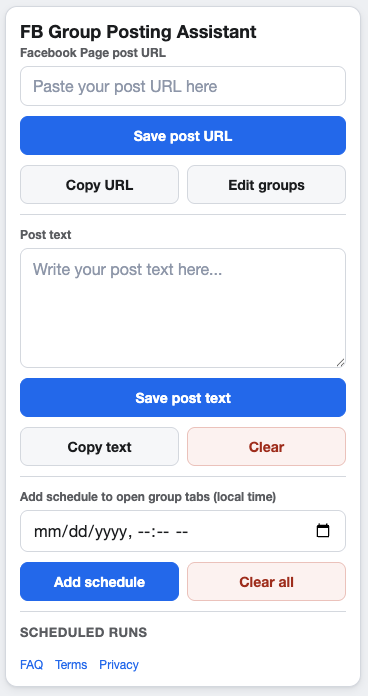
Troubleshooting is easier when you separate setup issues from timing issues.
Check browser and Facebook basics
- Confirm Chrome is open and the extension is enabled.
- Confirm you are logged in to the correct Facebook account.
- Open the target group manually to confirm you can access it.
- Check whether Facebook or the group requires an extra confirmation step.
Review campaign setup
Facebook Page post URL
Open the Page post URL directly. If it does not load for your account, update the campaign before running it.
Selected groups
Make sure the campaign has selected groups and that the saved group URLs are still valid.
Custom text
Check whether the supporting text is complete, accurate, and appropriate for the selected groups.
Check schedules, pacing, and cooldowns
If a scheduled run does not happen when expected, verify the local-time schedule and confirm that the campaign is enabled. If Run now appears to do nothing, check whether run cooldown or group cooldown settings are blocking a repeat run.
Remember the policy layer
Troubleshooting should not be used to force posts into groups where they do not belong. Follow Meta’s current policies, group rules, and account permissions.
FAQ
Why would a group be skipped?
A group may be unavailable, no longer selected, blocked by a cooldown, or inaccessible from the logged-in Facebook account.
Should I test with Run now?
Run now is useful for testing a campaign after you confirm the Page post URL, selected groups, and browser login state.
Keep campaign setup easier to inspect
GetBuildMint keeps campaigns, saved groups, schedules, pacing, and cooldowns in one Chrome extension so troubleshooting starts from a clearer setup.