
Facebook Group Posting for Agencies: Organize Client Campaigns
Facebook group posting for agencies needs more structure than a personal posting routine. Client campaigns need clear source posts, approved group lists, schedule windows, QA checks, and notes that make handoff easier.
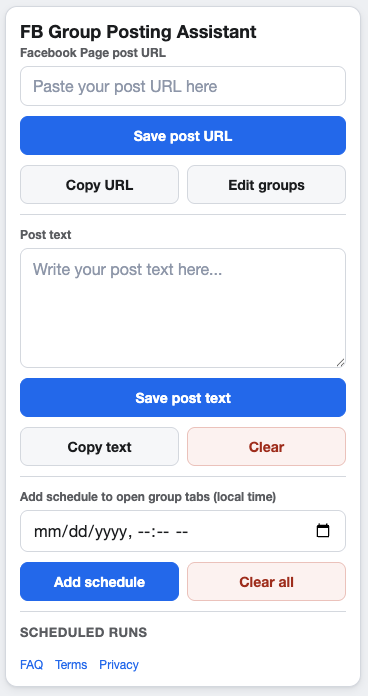
Agency workflows work better when every client campaign has a repeatable shape.
Separate campaigns by client and objective
Do not mix unrelated client updates in one workflow. Create a campaign around one Page post, one objective, and one group segment. That keeps review, scheduling, and client communication cleaner.
An agency QA checklist
- Confirm the client-approved Facebook Page post URL.
- Confirm the group list and any client restrictions.
- Review supporting text for accuracy and tone.
- Check schedule times against the client’s local market.
- Record notes after the campaign runs.
Use saved groups carefully
Saved group lists are useful, but agencies should keep them tidy. Add labels and notes that explain why a group belongs to a client campaign. Remove groups when rules change, relevance fades, or the client no longer wants to post there.
Keep compliance visible
Agencies should confirm that each client is authorized to post in the selected groups and that every campaign follows Meta’s current policies, group rules, and applicable laws. Do not rely on automation to make posting decisions that need human judgment.
FAQ
Should agencies use one campaign per client?
Usually, one campaign per client objective is clearer. A client may have several campaigns for different Page posts, offers, or regions.
What should agencies report back?
Keep notes on what was scheduled, which groups were selected, and what should change before the next run.
Organize client posting workflows in Chrome
GetBuildMint supports multiple campaigns, saved groups, schedules, pacing, and cooldown controls for repeatable Facebook group posting workflows.