
How to Share a Facebook Page Post to Multiple Facebook Groups Without Repeating Everything Manually
The most practical approach is to use one Facebook Page post URL as your source content, keep a vetted group list, and run scheduled shares. That approach reduces manual repetition and makes it easier to post multiple times in a day when your strategy requires it.
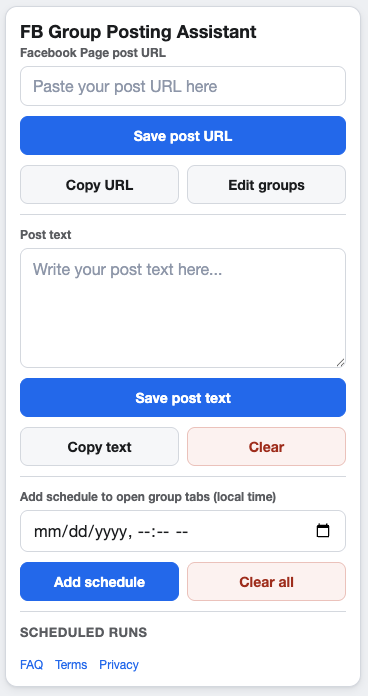
Start from one Facebook Page post and distribute it with less repetitive work.
The repetitive pain point most teams hit
Without a system, sharing one update across many groups becomes repetitive fast. You paste the same link repeatedly, confirm the same details repeatedly, and lose time to small interruptions. That cost grows every day.
When people search for "share Facebook Page post to groups," they usually want a simpler process, not more complexity.
Step-by-step workflow
Step 1: Publish on your Facebook Page
Create your source post first. This gives you a single URL that becomes the consistent reference across groups.
Step 2: Build your approved group list
Only include groups where you are authorized to post and where your offer is relevant. Quality of group targeting often matters more than quantity.
Step 3: Plan posting windows
Choose realistic time blocks. If needed, schedule more than one run per day. This is useful for different audience activity patterns.
Step 4: Monitor and refine
Review engagement and adjust timing, message framing, or group selection. Keep the system simple and repeatable.
Where scheduling helps most
- When you need consistent visibility without staying online all day.
- When you post to many groups and want fewer manual touchpoints.
- When campaigns require multiple daily runs.
- When different offers require predictable execution windows.
Why manual posting is difficult over time
Manual routines are fragile. Missing one step means missed distribution. Repeating every action by hand creates fatigue and inconsistency. A focused Facebook group posting tool helps turn ad-hoc posting into a system.
Who this is for
This workflow fits operators who need practical execution: local businesses, service marketers, affiliate campaigns, and teams promoting recurring offers in group communities.
FAQ
Can I use one Page post URL for many groups?
Yes. That is one of the most efficient ways to keep message consistency.
Can I share the same post multiple times in a day?
You can, if it is relevant and compliant with each group's expectations.
What is the main benefit of a scheduler?
It reduces repetitive manual work while improving consistency.
Try GetBuildMint for page-to-group posting
Use a browser-based workflow to share Facebook Page posts to multiple groups, schedule runs, and save hours every week.