
Facebook Auto Poster Setup Checklist for Your First Campaign
A Facebook Auto Poster setup checklist helps you avoid messy first runs. Before you schedule anything, prepare the source Page post, save the right groups, choose a realistic timing window, and confirm the campaign is easy to monitor.
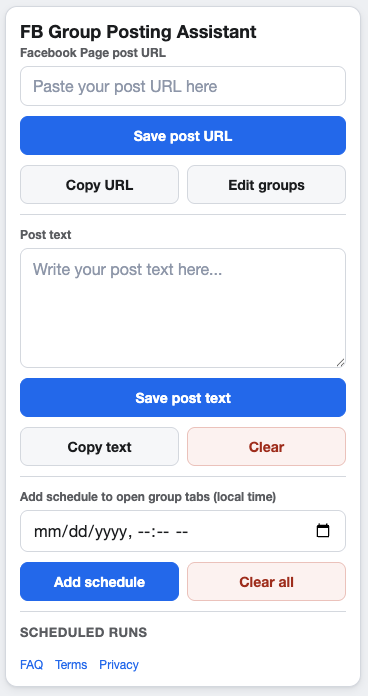
A clean first setup makes later campaigns easier to repeat.
Start with one campaign goal
Choose one Page post and one clear reason for sharing it. A first campaign should be simple enough to review: one offer, update, announcement, or useful resource shared to groups where it is relevant.
If you are still deciding what to share, review the Facebook Page post vs group post workflow before building the campaign.
Prepare the Facebook Page post URL
- Open the Page post in your browser and confirm it loads.
- Check that the post image, link, and call to action are final.
- Use optional supporting text only when it adds useful context for the group.
- Avoid vague or exaggerated wording that would feel out of place in the group feed.
Build a small saved group list
For a first run, quality matters more than volume. Save groups that match the topic, location, audience, or use case of the Page post. Remove groups where the rules are unclear or where promotional posts are not allowed.
Use the group organization process in How to Organize Facebook Group URLs for Posting Campaigns if your saved list needs cleanup first.
Set schedules, pacing, and cooldowns
Choose a local-time window
Pick a time when you can keep Chrome open, stay logged in to Facebook, and check the campaign after it runs. Scheduled runs depend on your browser being available.
Use measured delays
Set minimum and maximum delay values that give the campaign room to move through groups at a comfortable pace. Review Facebook Group Posting Pacing and Cooldowns Explained before tightening the timing.
First-campaign review checklist
- The campaign name is clear enough to recognize later.
- The Page post URL is valid.
- Only relevant groups are selected.
- Schedule windows do not conflict with your review availability.
- Run cooldown and group cooldown settings are enabled for production use.
- You have checked Meta’s current policies and each group’s rules.
FAQ
Should my first campaign use every saved group?
No. Start with a focused group list so you can review the workflow and adjust before scaling your process.
Can I run the campaign immediately?
Yes, if the campaign is enabled and ready, but scheduled and Run now workflows should still follow the same content, group, pacing, and policy checks.
Set up your first campaign in GetBuildMint
Facebook Auto Poster helps you save campaigns, choose groups, add schedules, and control pacing from your own Chrome browser.