
Facebook Group Campaign Planning for Product Launches and Offers
Facebook group campaign planning helps you promote a launch or offer without improvising every post. Start with one approved Page post, choose groups that fit the campaign, schedule sensible windows, and review the outcome before repeating.
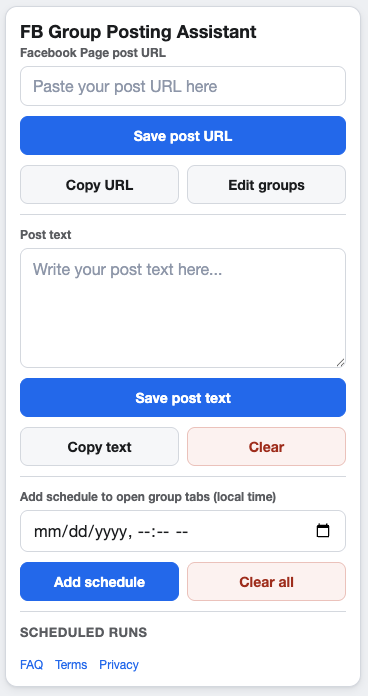
A launch campaign should feel planned before it ever reaches a group.
Define the campaign before choosing groups
Write down the campaign objective, source Page post, target audience, and posting window. This prevents the group list from becoming the strategy. The campaign should determine the groups, not the other way around.
Build a launch-ready workflow
Prepare the Page post
Make sure the post has the correct offer, link, image, and next step before it becomes the source for group sharing.
Select approved groups
Choose groups where the launch or offer is relevant and allowed. Remove any group that needs a different campaign or message.
Schedule reviewable windows
Use schedule windows that your team can monitor. Launch periods can be busy, so avoid schedules that create more replies than you can responsibly handle.
Planning checklist
- Campaign objective is clear.
- Facebook Page post URL is final.
- Group list is relevant and approved.
- Supporting text matches the group context.
- Pacing and cooldown settings are reviewed.
- Post-campaign notes are captured.
Keep launch posting responsible
More posting is not automatically better. Follow Meta’s current policies, each group’s rules, and applicable laws. Use scheduling to stay organized, not to push irrelevant updates into places they do not belong.
FAQ
Should a launch campaign use multiple schedules?
It can, when each window has a clear purpose and the selected groups allow the frequency.
Should I use one Page post or many?
One source Page post keeps the campaign easier to manage. Use separate posts when the audience or offer is meaningfully different.
Plan and run launch campaigns from Chrome
GetBuildMint helps you create campaigns, select saved groups, add local-time schedules, and control pacing for launch and offer workflows.