
Facebook Page Post URL Guide for Group Sharing Campaigns
A Facebook Page post URL is the source link for a page-to-group campaign. When the URL is clean, public enough for your intended workflow, and paired with useful context, the campaign is easier to schedule and troubleshoot.
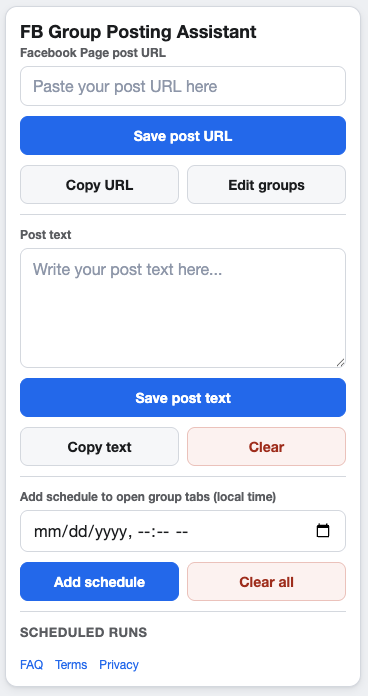
The Page post URL is the source of a page-to-group workflow.
What a Facebook Page post URL does
In GetBuildMint, a campaign starts with the Facebook Page post URL you want to share. The campaign can then use selected saved groups, optional post text, local-time schedules, and pacing settings.
This workflow is different from writing a separate native group post each time. For a comparison, read Facebook Page Post vs Group Post: Which Workflow Should You Use?
How to check the URL before scheduling
- Open the URL in Chrome and confirm it resolves to the intended Page post.
- Check that you are logged in to the right Facebook account.
- Confirm the source post has final copy, media, and destination links.
- Make sure the topic is allowed in the groups you plan to select.
- Save the campaign after pasting the URL so the setting persists locally.
When to add supporting text
Supporting text should explain why the Page post is useful to that audience. Keep it short and specific. Avoid repeating the entire source post or adding claims that are not visible on the Page post or destination page.
Useful supporting text can include
- A short local note for a community group.
- A plain description of who the update is for.
- A reminder to check the linked Page post for details.
Troubleshooting Page post URL problems
If a campaign does not run as expected, start with the URL. A copied link can be incomplete, point to the wrong post, or require a login state that is not available in the current browser session.
The broader troubleshooting sequence is covered in Facebook Group Auto Posting Not Working? Troubleshooting Checklist.
FAQ
Can I use a different Page post for each campaign?
Yes. Campaigns are designed so different posts, groups, schedules, and pacing settings can be saved separately.
Should I edit the source post after scheduling?
Only if you are prepared to review the campaign again. Changing the source post can change the meaning of every scheduled share that depends on it.
Turn one Page post into a campaign
GetBuildMint helps you paste a Facebook Page post URL, choose saved groups, add optional context, and run a measured group posting workflow from Chrome.