
Facebook Group Posting Approval Workflow for Small Teams
A Facebook group posting approval workflow keeps small teams from scheduling unclear campaigns. The right workflow confirms the Page post, supporting text, selected groups, schedule windows, and monitoring owner before anything runs.
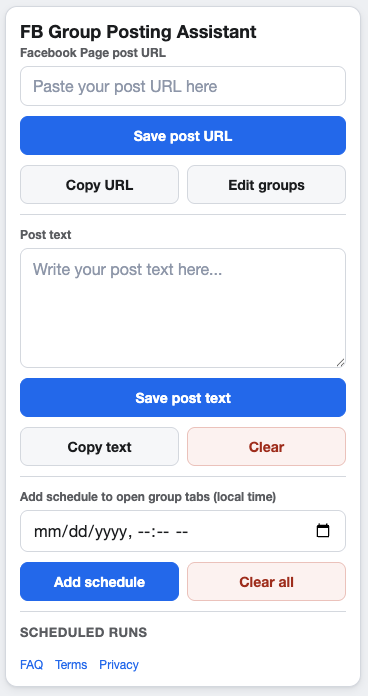
Approval is most useful before the campaign is scheduled.
What should be approved
Approval should cover the things that change campaign quality: the source Page post, optional group text, group list, timing, pacing, and the person responsible for checking the run afterward.
A simple approval workflow
1. Content owner prepares the Page post
The content owner confirms the post is final and that the landing page, offer, or update is ready.
2. Campaign owner checks groups
The campaign owner selects relevant saved groups and removes any group with unclear rules or weak audience fit.
3. Reviewer checks schedule and pacing
The reviewer confirms that local-time schedules, min/max delay settings, run cooldowns, and group cooldowns support the campaign plan.
Approval notes to keep
- Campaign name and source Page post URL.
- Who approved the group list.
- Why the selected groups are relevant.
- Schedule windows and monitoring owner.
- Any group rules or Meta policy considerations.
Where automation fits
Automation should execute an approved workflow, not replace judgment. Use the posting checklist and a clear approval handoff before a campaign is enabled.
FAQ
Does every campaign need a formal approval process?
Not always. A lightweight checklist is enough for many small teams, but recurring campaigns should still have a clear owner and review point.
Who should monitor the campaign?
Choose the person who understands the audience and can respond if group feedback, post comments, or schedule issues need attention.
Save approved campaign settings in Chrome
GetBuildMint helps small teams keep Page post URLs, selected groups, schedules, and pacing settings together in a repeatable campaign editor.